Each site has a Recording consent setting. By default, Vision records a visitor only after they accept analytics cookies in your consent banner. Without consent, Vision creates no recording and no visitor identifier.
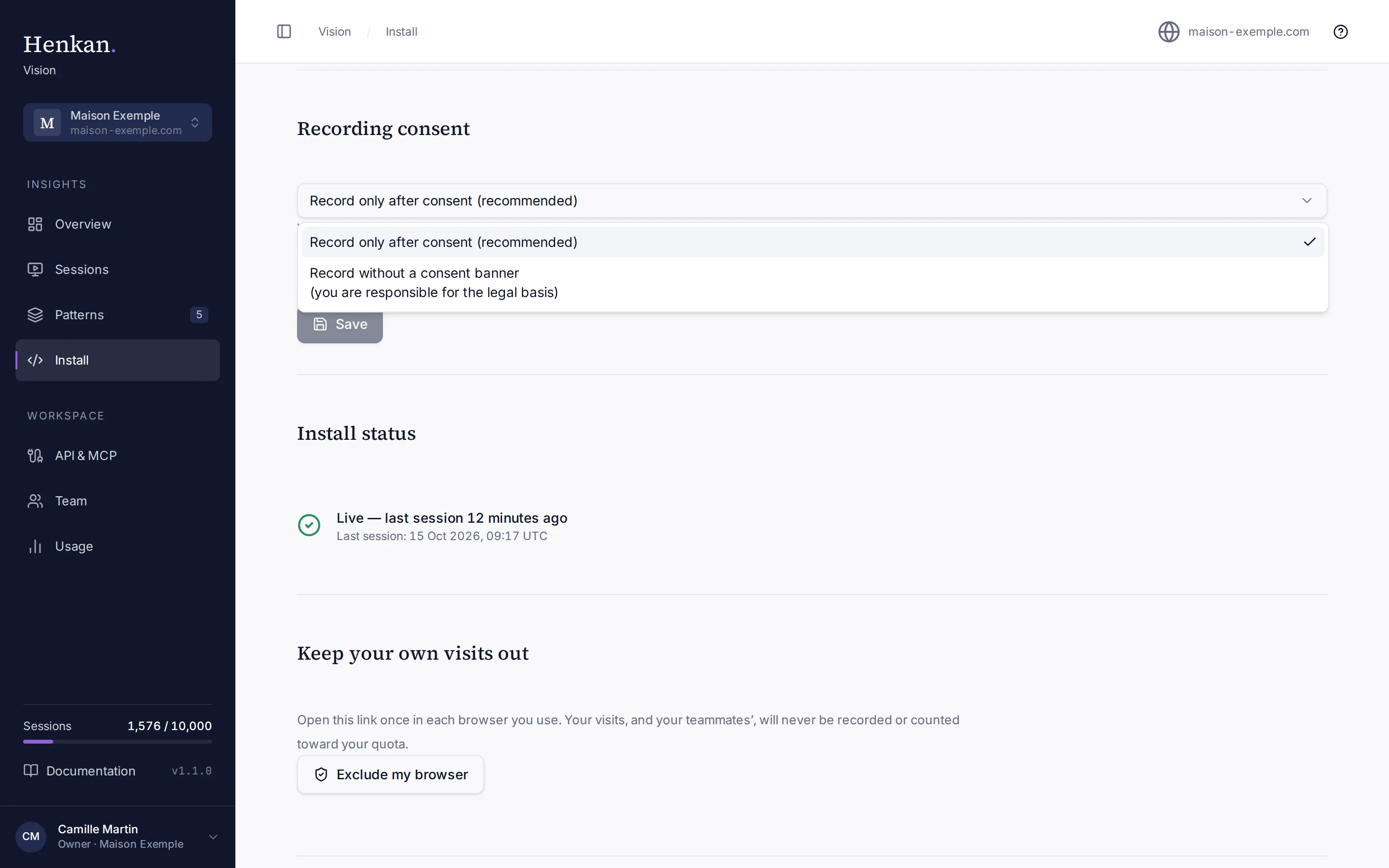
Change the setting#
- Open Install Select Install and pick the site in the site switcher.
- Choose a mode In Recording consent, open the menu and pick a mode.
- Save Select Save. Only organisation owners can change this setting.
| Mode | When Vision records |
|---|---|
| Record only after consent (recommended) | Only when a supported consent tool reports that analytics consent was granted. If no consent tool is detected, nothing is recorded. |
| Record without a consent banner | When analytics consent is granted, or when no consent tool is present. A refusal from a consent tool still stops recording. |
Supported consent tools#
Vision reads the visitor's choice directly from the consent tool on the page and checks it again every 2 seconds. If the visitor refuses, recording stops and anything not yet sent is discarded. When several tools are present, a refusal or an unanswered banner in any of them wins.
| Consent tool | What Vision looks for |
|---|---|
| Axeptio | A vendor with the key henkan_vision or henkanvision. |
| Tarteaucitron | A service with the key henkanvision, or the key you set in tarteaucitronAnalyticsKey. |
| IAB TCF v2 (any TCF banner) | Consent for purpose 1 and a measurement purpose (8 or 9). Set tcfVendorId to also require consent for a specific vendor. |
| Usercentrics | A service named "Henkan Vision", or the service id you set in usercentricsServiceId. |
| Didomi | The "analytics" or "measure audience" purpose. |
| OneTrust | The performance cookies group (C0002). |
| Cookiebot | The statistics category. |
| CookieYes | The analytics category. |
| Shopify customer privacy | Analytics consent. |
| Google Consent Mode | analytics_storage set to granted. |
Point Vision to your own service keys#
If your consent tool uses a different name for Henkan Vision, declare it before the Vision script loads:
<script>
  window.__hvConsent = {
    tcfVendorId: 1234,                       // IAB TCF: also require this vendor's consent
    usercentricsServiceId: "AbCdEf123",      // Usercentrics: the service id for Henkan Vision
    tarteaucitronAnalyticsKey: "henkan"      // Tarteaucitron: your service key
  };
</script>
<script async src="https://vision.henkanpartners.ai/v.js" data-site="pk_…"></script>
Set only the keys you need. Tarteaucitron's generic analytics consent is never used on its own: Vision needs henkanvision or the key you declared.
Troubleshooting consent#
If Install says the script has loaded many times but no session was recorded, your consent tool is not granting consent to Vision.
- Add Vision to your banner Declare Henkan Vision as an analytics or measurement service in your consent tool, using the keys above.
- Accept on your site Open your site in a private window and accept analytics cookies.
- Browse for at least 30 seconds Then check Install status again.