Opening a session from Sessions or a pattern shows its replay, a summary of the visit and, on the right, the Timeline and Summary tabs.
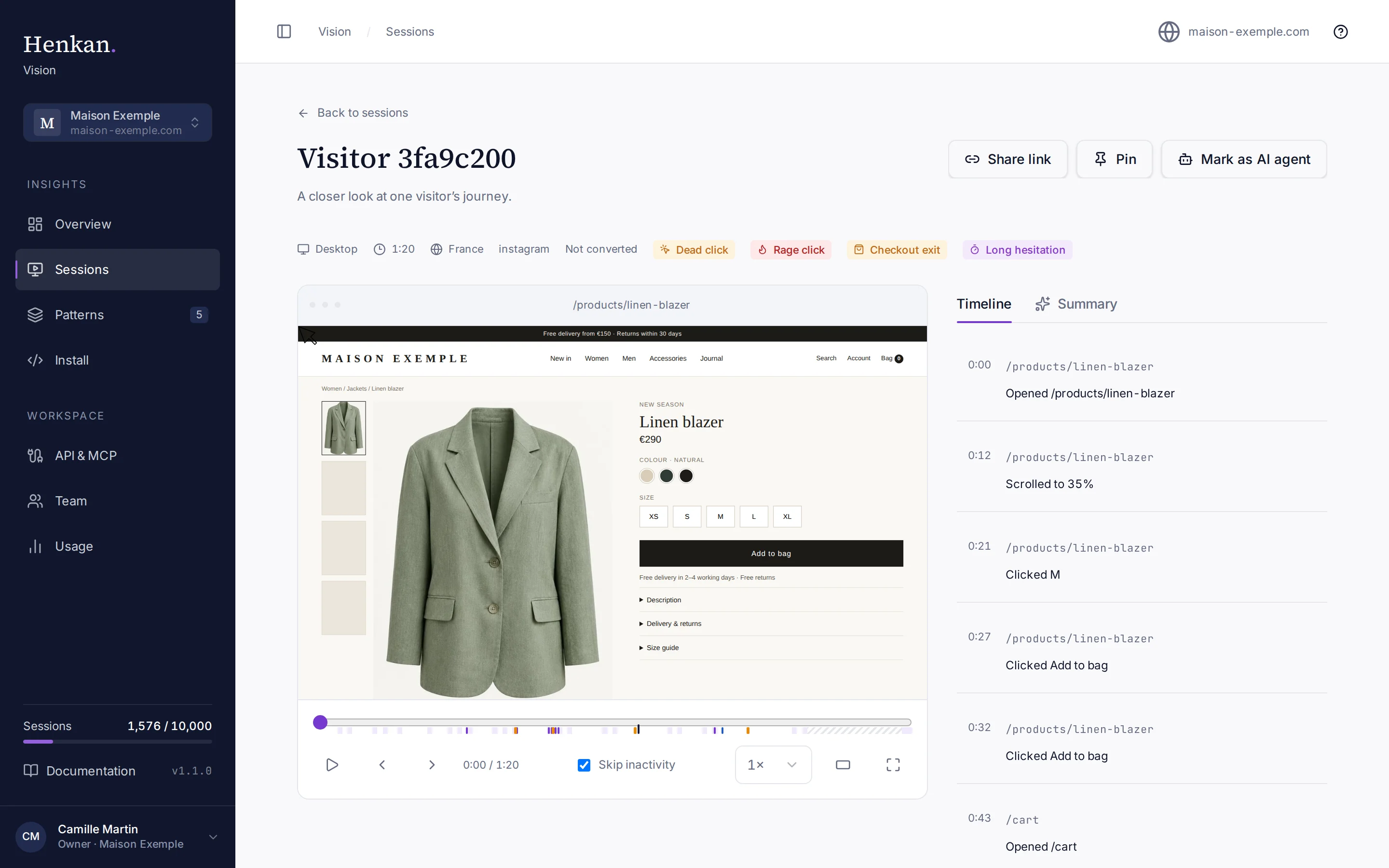
Play the replay#
- Press play Select the play button or press the space bar. Playback starts where the scrubber is.
- Move through the visit Drag the scrubber, or select a mark on it to jump just before that moment.
- Change the speed Pick 1×, 2× or 4× in the speed menu.
Keyboard shortcuts#
| Key | Action |
|---|---|
| Space | Play or pause |
[ | Previous action |
] | Next action |
t | Theatre mode on or off |
f | Fullscreen on or off |
Shortcuts work whenever you are not typing in a field. Theatre mode is remembered in your browser.
The timeline#
The Timeline tab lists what the visitor did, in order: pages opened, clicks, typing in fields (never what was typed), scrolling, long pauses, window resizes, page errors and purchases. Each step shows the time since the start of the visit and the page. Select a step to play the replay from that moment.
The timeline appears a few minutes after the session ends. Until then, the tab shows No timeline yet.
The AI summary#
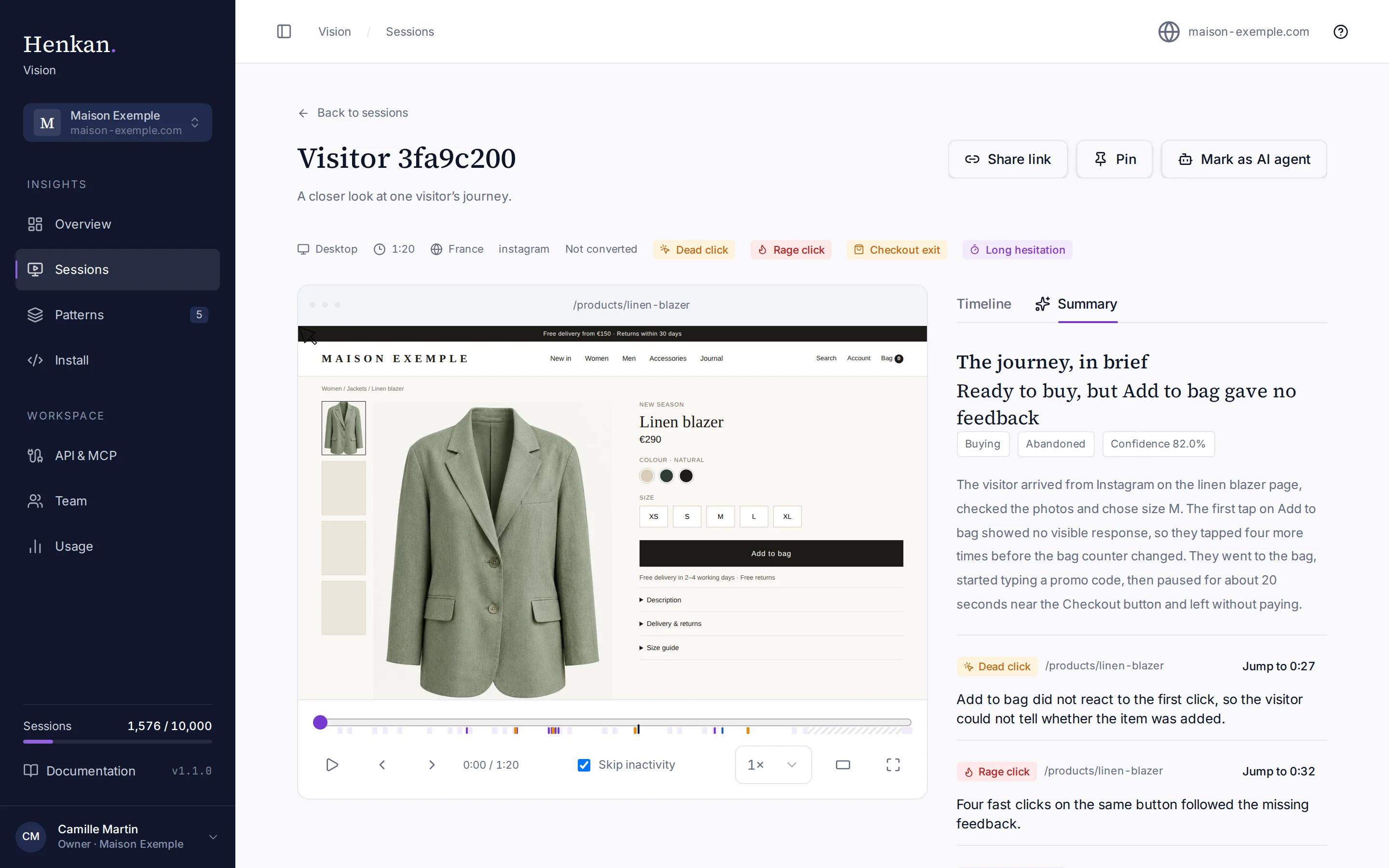
Every summary ends with the notice Generated by AI — can be wrong. Vision writes summaries automatically for sessions with friction, within a daily limit for your organisation. For other sessions, an owner can open Summary and select Summarise this session. If the daily limit is reached, the tab says Not summarised — daily AI limit reached; try again the next day (days are counted in UTC). See AI summaries.
| Label | Possible values |
|---|---|
| Intent | Browsing, Researching, Comparing, Buying, Looking for help, Other intent |
| Outcome | Converted, Abandoned, Bounced, Unclear outcome |
Share, pin and relabel#
- Share link opens a dialog with the address of the session. Only members of your organisation can open it.
- Pin marks the session for you; select Pinned to remove the mark. Pins are personal. Pinning is available to owners.
- Mark as AI agent or Mark as human corrects how Vision classified the visitor. It is available to organisation owners. The correction is kept even if Vision analyses the session again, and it does not change your usage for the month.
When a replay is not available#
| Message | Why |
|---|---|
| Replay expired (kept 30 days) — timeline still available | Raw replays are deleted after 30 days. The timeline, friction tags and summary stay for 13 months. |
| No replay is available for this session. | No recording data was stored for this session. |
| This replay could not be loaded. | A temporary problem. Use the retry button. |
| Some parts of this replay could not be loaded. | Part of the recording is missing, so some moments may look incomplete. |