Henkan Vision includes an MCP server, so AI assistants can read what your visitors experience and answer questions such as "Why do mobile visitors leave the checkout?" with real sessions. Agents get the same read access as a member of your organisation, and nothing else: they cannot change anything.
Before you start#
You need an API key. An owner creates it in API & MCP > Create key; it is shown only once. See API keys.
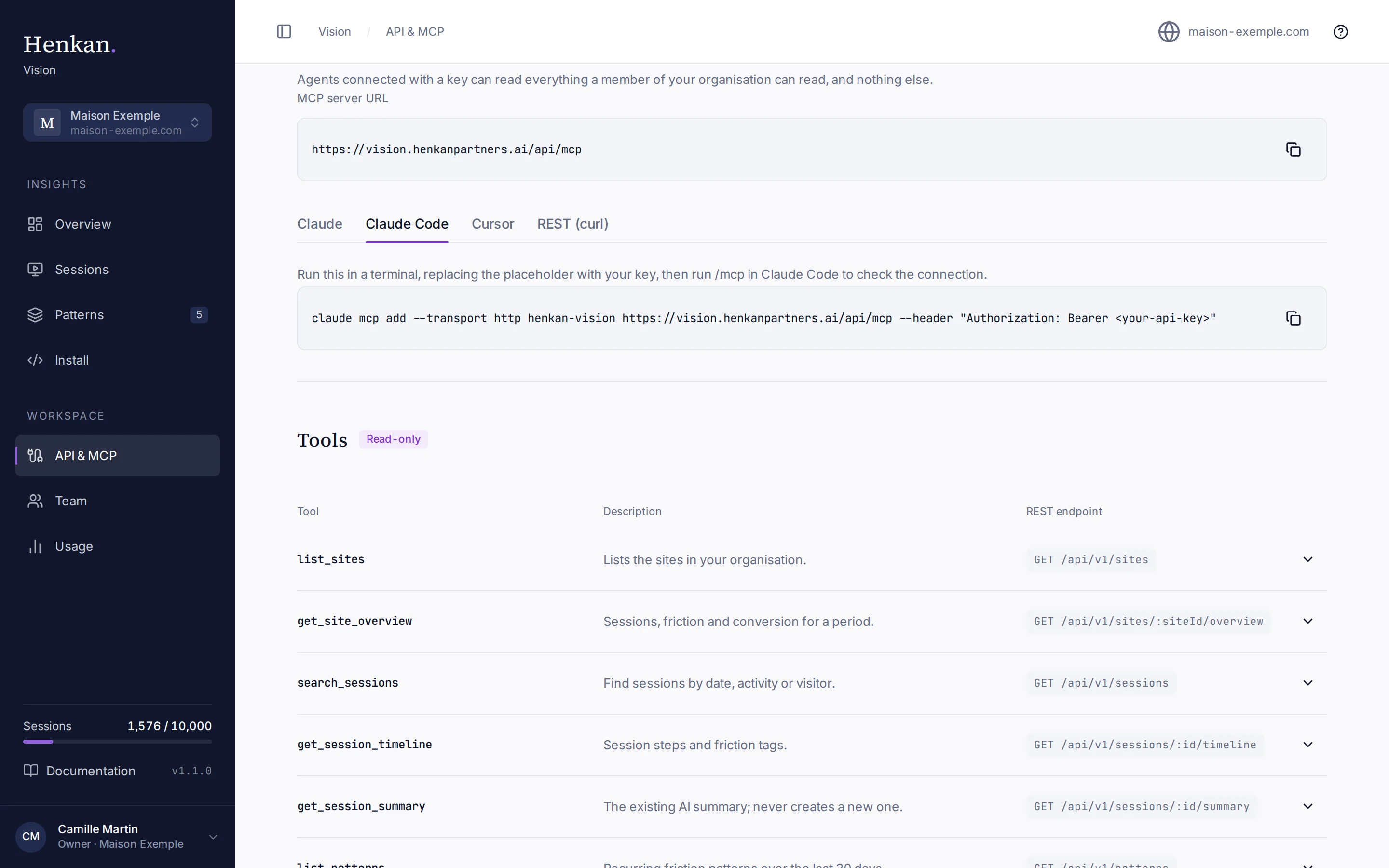
The MCP server URL is:
https://vision.henkanpartners.ai/api/mcp
Every request must carry your key in the Authorization header as Bearer <your-api-key>.
Claude#
- Open Connectors In Claude, open Settings > Connectors and choose Add custom connector.
- Paste the URL Use
https://vision.henkanpartners.ai/api/mcpas the server URL. - Add your key Add the header
Authorization: Bearer <your-api-key>.
Claude Code#
Run this in a terminal, replacing the placeholder with your key, then run /mcp in Claude Code to check the connection:
claude mcp add --transport http henkan-vision https://vision.henkanpartners.ai/api/mcp --header "Authorization: Bearer <your-api-key>"
Cursor#
Add this to .cursor/mcp.json in your project, or to your global Cursor MCP settings:
{
  "mcpServers": {
    "henkan-vision": {
      "url": "https://vision.henkanpartners.ai/api/mcp",
      "headers": {
        "Authorization": "Bearer <your-api-key>"
      }
    }
  }
}
Other MCP clients#
Any client that supports remote MCP servers over HTTP with custom headers works. The server is stateless JSON-RPC over HTTP: one message per request, no batching. It supports protocol versions 2025-06-18, 2025-03-26 and 2024-11-05.
Available tools#
| Tool | What it returns |
|---|---|
list_sites | The sites in your organisation. |
get_site_overview | Sessions, friction rate, conversion rate, top frictions and top patterns for the last 24 hours, 7 days or 30 days. |
search_sessions | Sessions filtered by site, date, friction, conversion, entry page, device, visitor type or text. |
get_session_timeline | The steps and friction tags of one session. |
get_session_summary | The existing AI summary of a session. It never creates a new one. |
list_patterns | Recurring friction patterns over the last 30 days, for humans or AI agents. |
get_pattern | One pattern with its summary and up to 20 example sessions. |
Parameters and response shapes are listed in the REST API reference; MCP tools and REST endpoints return the same data.
Example prompts#
- "Which pages had the most rage clicks on maison-exemple.com in the last 7 days?"
- "Find mobile sessions that left from the checkout this week and summarise what went wrong."
- "List the patterns on our site and suggest an A/B test for the biggest one."