Vision records your website through one small script. Each site in your organisation has its own snippet, which you find on the Install page.
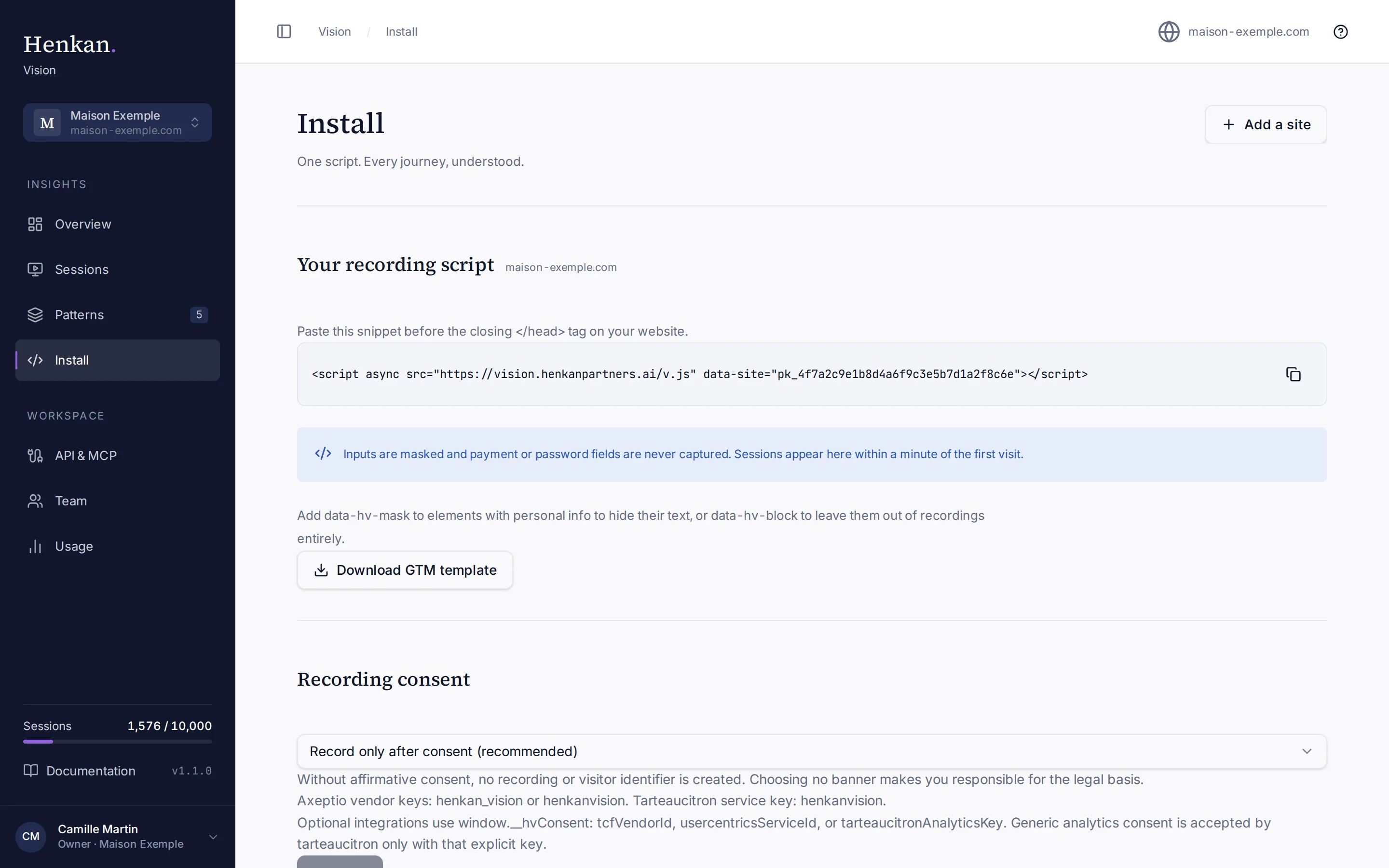
Add the snippet to your site#
- Open Install Select Install in the sidebar, or the question mark icon at the top right of any page.
- Copy the snippet Select Copy script.
- Paste it in the head Paste it just before the closing
</head>tag, on every page of the site. - Publish Deploy your site, and clear your site's cache or CDN if you use one.
The snippet looks like this. The data-site value is the site's public key: it only identifies the site, it is not a secret.
<script async src="https://vision.henkanpartners.ai/v.js" data-site="pk_4f7a2c9e1b8d4a6f9c3e5b7d1a2f8c6e"></script>
The script loads asynchronously, so it does not delay your pages. Vision only accepts data sent from the site's domain or its subdomains: a snippet copied onto another website records nothing.
Google Tag Manager#
- Create a tag In your container, create a new tag of type Custom HTML.
- Paste the snippet Paste the snippet from Install, and leave Support document.write turned off.
- Trigger on all pages Use the All Pages trigger, or a consent-aware trigger if your consent tool provides one.
- Publish the container Submit and publish. Changes in Preview mode do not reach real visitors.
Download GTM template gives you a JSON file containing the same snippet, which is handy to share with whoever manages your container.
Check the install#
The Install status section shows whether Vision is receiving data.
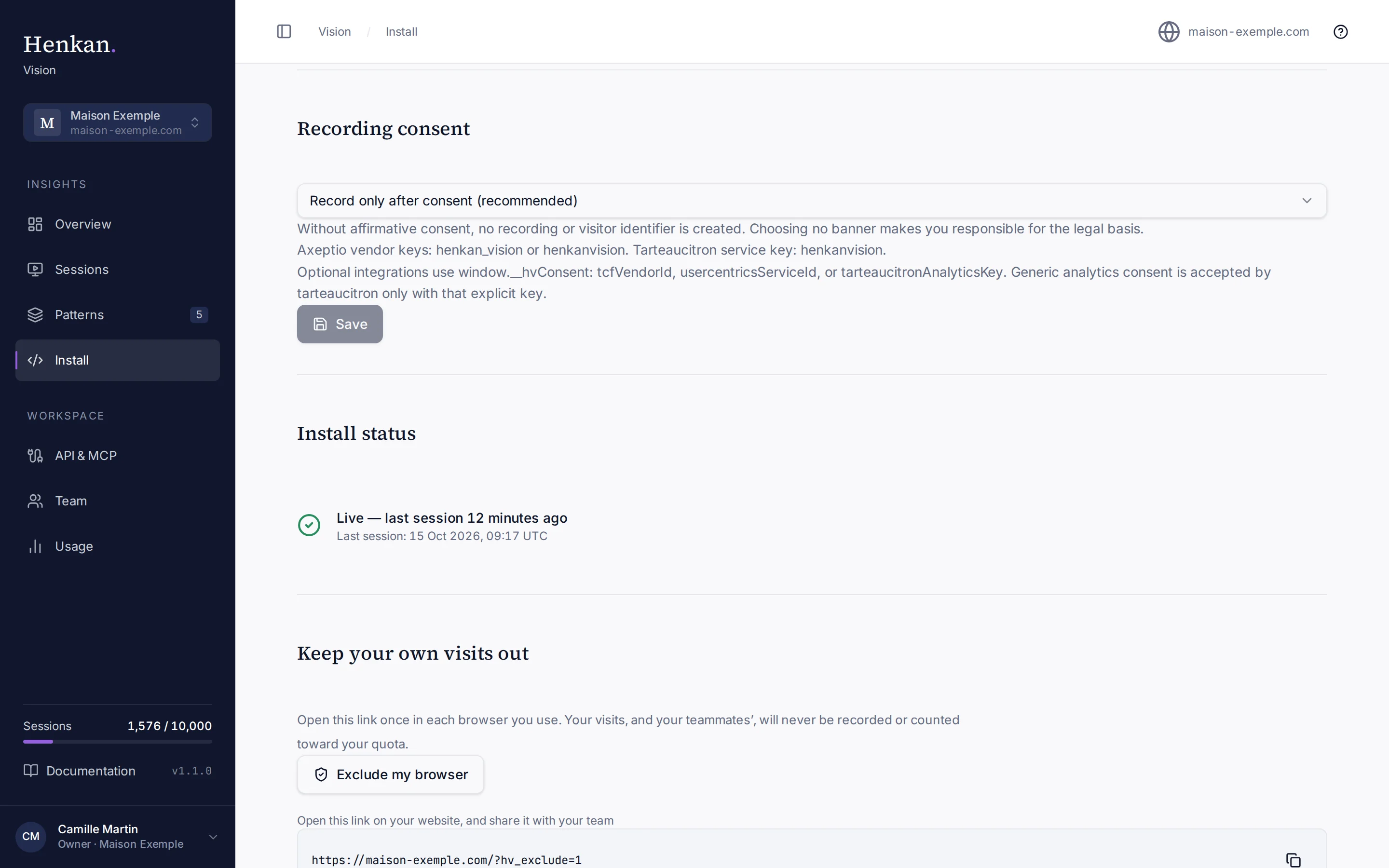
| Status | Meaning |
|---|---|
| Live — last session … | Sessions are arriving. The time of the most recent one is shown underneath. |
| Waiting for your first session | No session has been recorded yet. |
| Installed via Henkan Agents tracker | Vision was loaded through the Henkan Agents tracker instead of the snippet. |
Vision also warns you about two common mistakes:
- Wrong domain. The script was loaded on a domain that is not one of the site's domains, so nothing was recorded there. Add that domain as a site, or load the script on your listed domain.
- No consent. The script has loaded 50 times or more but no session was recorded. Your consent tool is probably not granting analytics consent to Henkan Vision. See Recording consent.
Hide or remove sensitive elements#
Vision masks every form field value in the browser and never records password or payment fields. You can protect more of your page with two HTML attributes:
| Attribute | Effect |
|---|---|
data-hv-mask | The element stays in the replay, but its text is replaced with asterisks. |
data-hv-block | The element is left out of recordings entirely. |
<p class="customer-name" data-hv-mask>Camille Martin</p>
<div class="loyalty-card" data-hv-block>…</div>
See Privacy and security for everything that is masked automatically.
Keep your own visits out#
- Create the link In Keep your own visits out, select Exclude my browser.
- Open it in each browser The link opens your own website with
?hv_exclude=1. The script then sets a cookie and stops recording that browser. - Share it Send the link to teammates and agencies who browse the site often.
Excluded visits are never recorded and never count toward your quota. The cookie lasts about 13 months; open the link again if you clear your cookies.
Add another site#
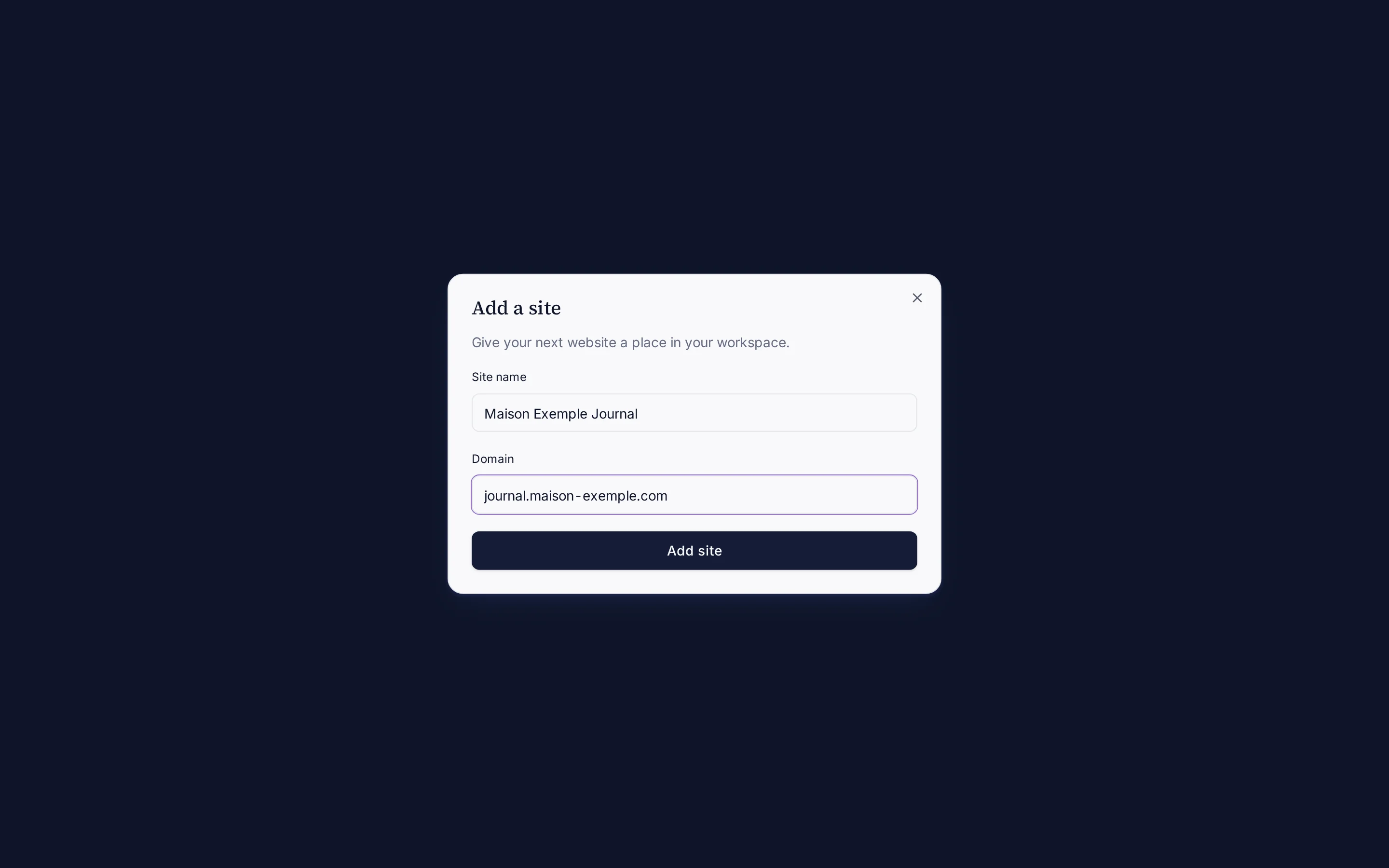
- Select Add a site On Install, select Add a site. Only owners can add sites.
- Enter the details Enter a Site name and Domain, then select Add site.
- Install its snippet Vision switches to the new site. Copy its own snippet: each site has a different public key.
Switch between sites with the site switcher at the top of the sidebar. Every page shows data for the selected site, except Team, API & MCP and Usage, which cover the whole organisation.