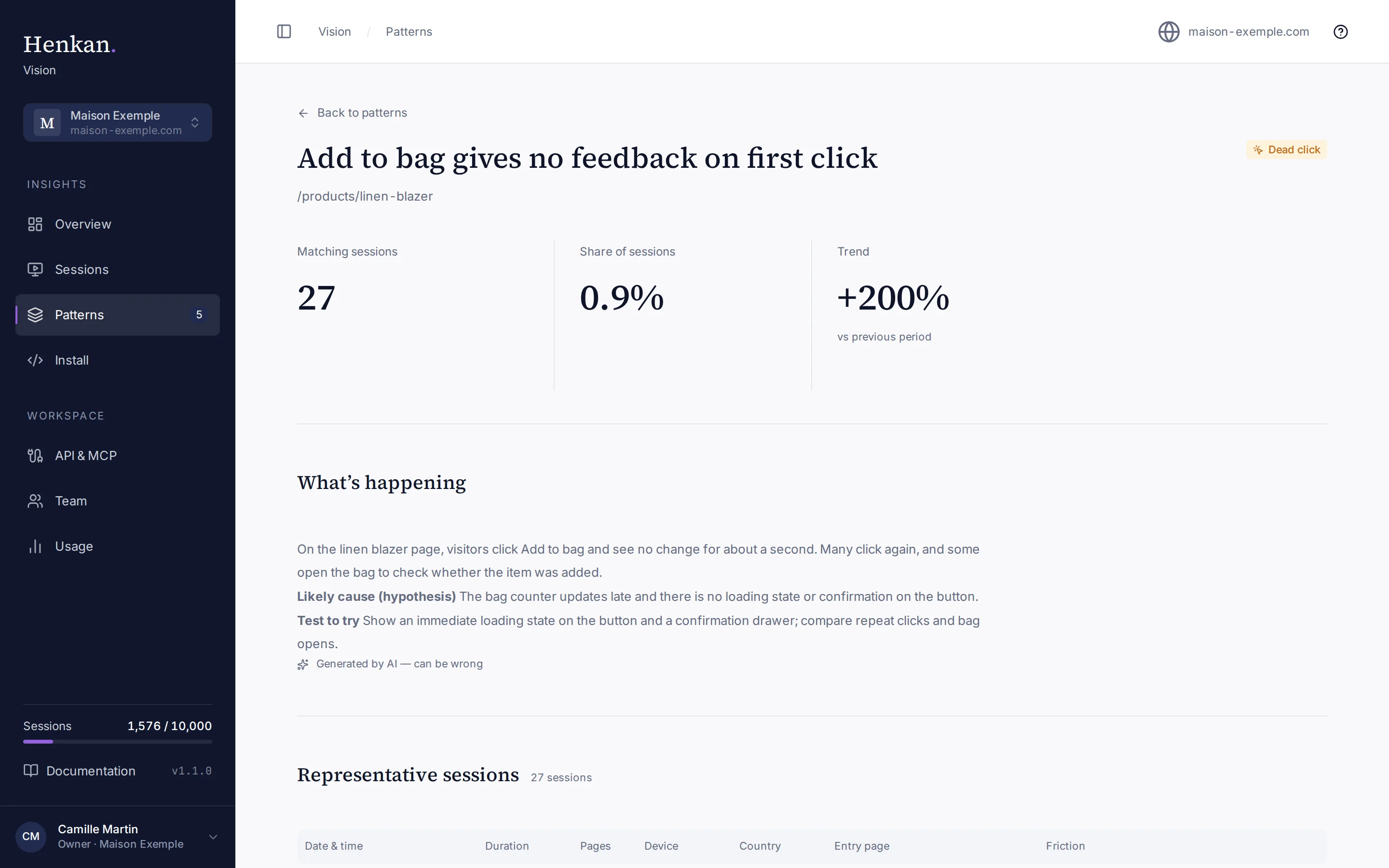
See which frictions keep repeating, why they might happen and what to test, ranked by how many sessions they affect.
Up to date with v1.1.0Updated 18 October 20261 min read
A pattern is the same friction, on the same page, seen in many sessions. Patterns ranks them by the number of sessions they affect over the last 30 days, so you know what to fix first. The sidebar shows how many patterns the selected site has.
vision.henkanpartners.ai/patterns
123456
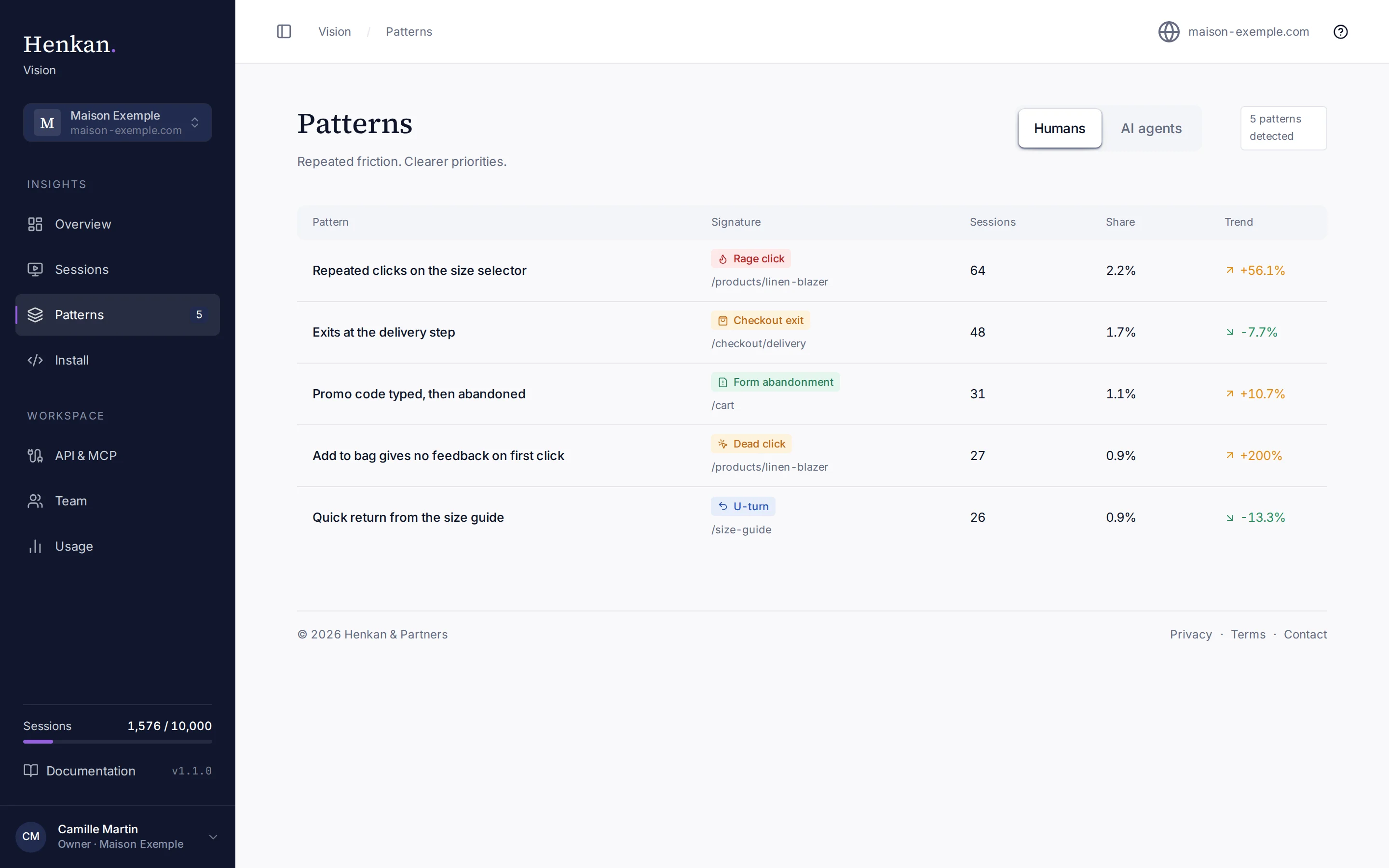
Five human patterns on maison-exemple.com.
1
Visitor type. Humans or AI agents. The two are never mixed in one pattern.
2
Patterns detected. How many patterns the site has for this visitor type.
3
Pattern. A short title written by AI from the matching sessions.
4
Signature. The friction type and the page where it happens.
5
Sessions. Distinct sessions with this friction in the last 30 days. Share is their part of all sessions.
6
Trend. Change compared with the previous 30 days. Rising friction is shown in orange, falling in green.
Friction is tagged Each session gets friction tags a few minutes after it ends.
Tags are grouped Vision groups tags by page and friction type. Pages are normalised: a leading language code is dropped and identifiers such as order numbers become :id, so /fr/orders/10482 and /orders/10533 count as the same page.
A pattern appears When a group reaches 25 distinct sessions in 30 days, it becomes a pattern and gets an AI summary.
Patterns are refreshed regularly by a background job, so new sessions can take a little while to be reflected.
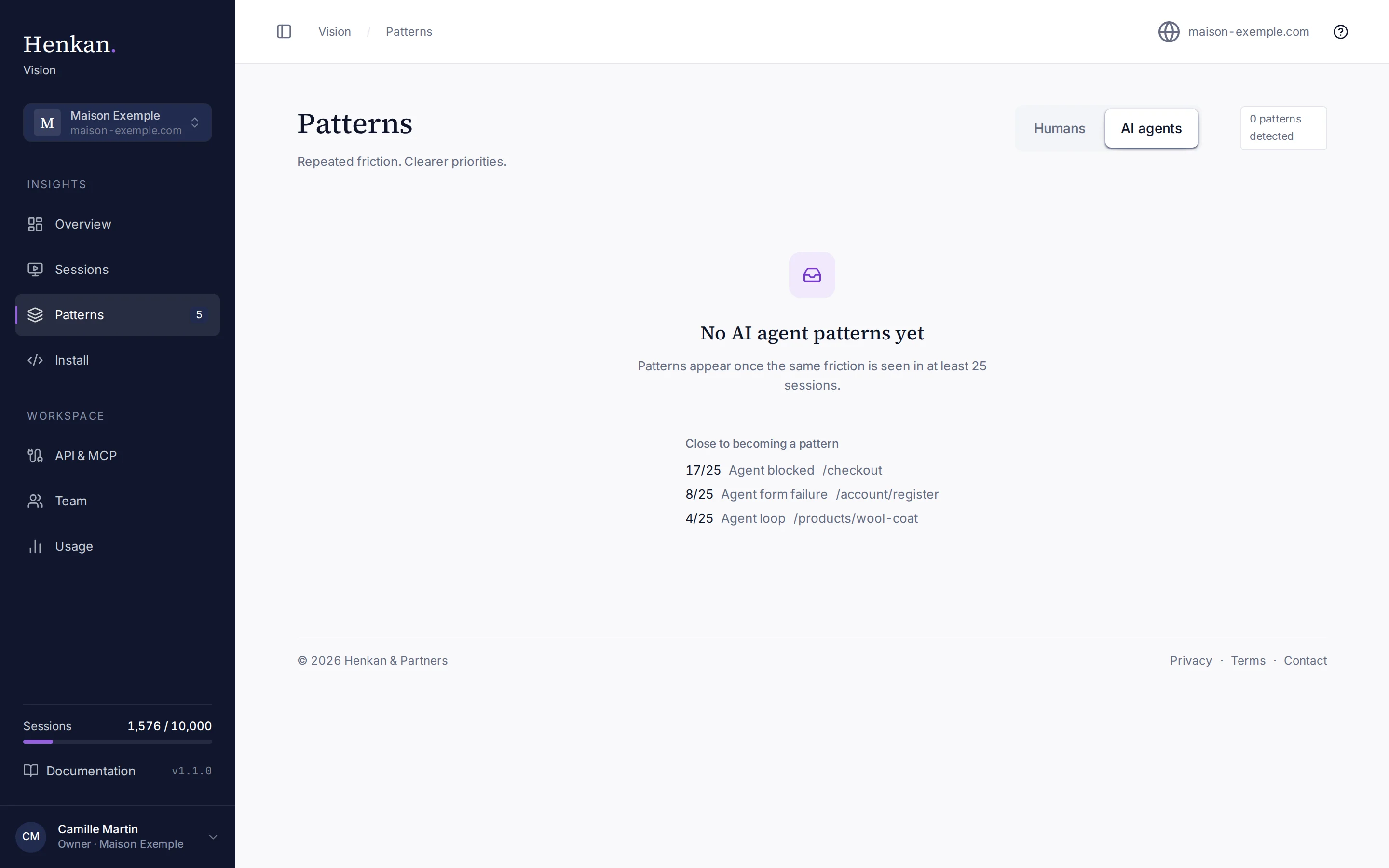
Until a friction reaches 25 sessions, Patterns shows No patterns yet and lists up to three frictions that are Close to becoming a pattern, with their progress (for example 17/25).
vision.henkanpartners.ai/patterns?kind=ai_agent
1
AI agent patterns, with frictions still building up.
1
Close to becoming a pattern. Frictions with fewer than 25 sessions, their count and their page.
Select AI agents to see patterns in sessions of AI assistants browsing your site. They use the agent friction tags, such as Agent blocked when an agent stops at a sign-in or captcha wall. Agent patterns help you see where AI assistants fail to complete tasks for their users. See AI agents and crawlers.