Visitors groups sessions by visitor, so you can follow one visitor's path across several visits. Vision never knows who that visitor is.
A visitor is one browser on one device. After consent, the Vision script keeps an anonymous identifier in that browser, which links its next visits to the same visitor.
Each visitor gets a generated name, such as Calm Falcon 42, so you can recognise them and talk about them with your team. The name comes from the anonymous identifier only and never changes.
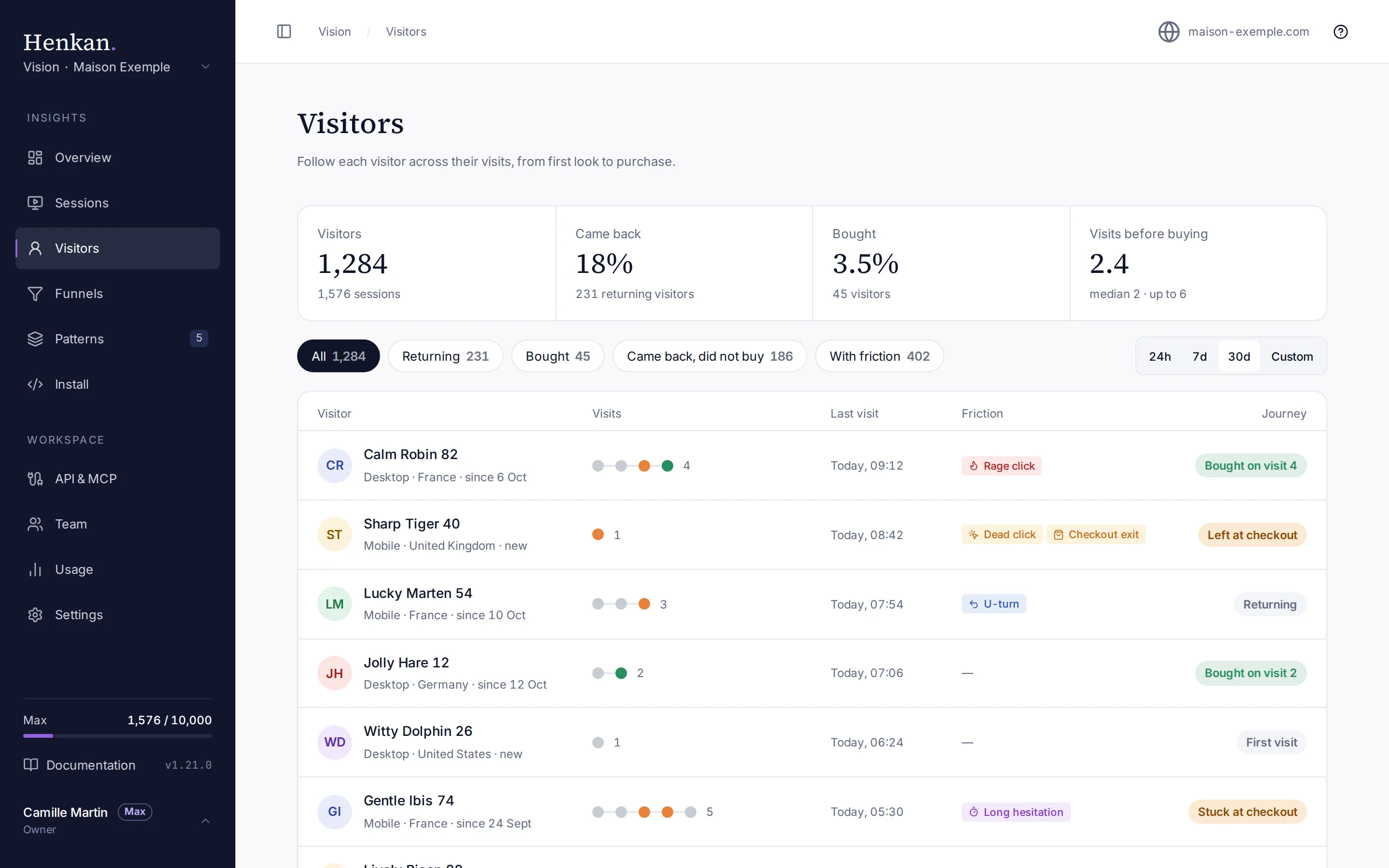
Read the list#
| Column | Meaning |
|---|---|
| Visitor | The generated name, the device and country of the latest visit, and since when the visitor comes (or new). |
| Visits | One dot per visit in the period, up to the last 8, then the number of visits. |
| Last visit | When their latest visit started. Times are in UTC. |
| Friction | Friction tags found across their visits. |
| Journey | Bought on visit 3, Stuck at checkout (came back and left at the checkout again), Left at checkout (one visit), Returning or First visit. The cart counts the same way. |
Visits before buying counts, for each visitor who bought in the period, the visits up to and including the first purchase. Segment counts cover the whole period, whichever segment is selected.
Only human visitors are listed. AI agents browsing the site have their own view under AI agents.
Follow one visitor#
Select a visitor to open their journey.
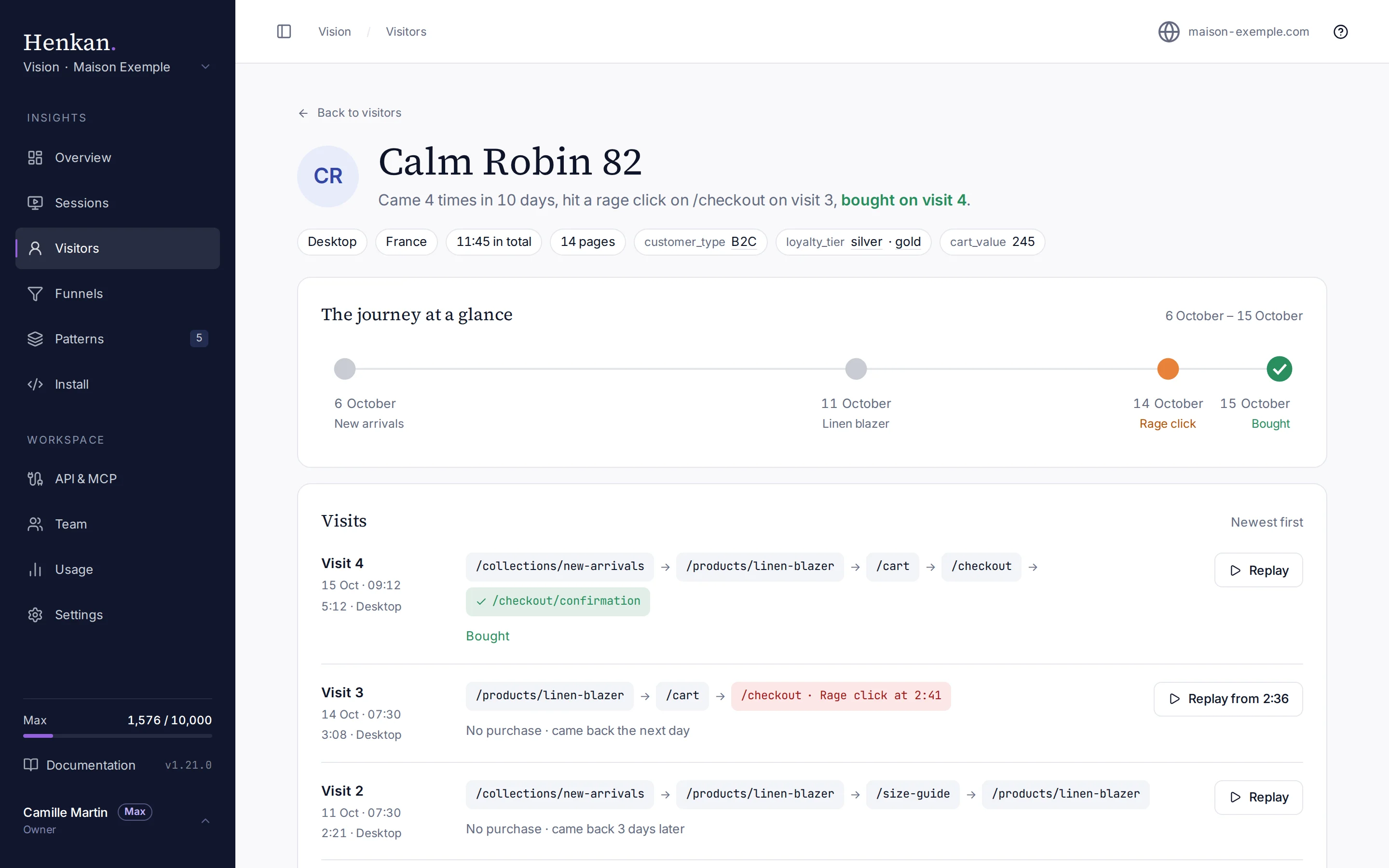
Each visit lists the pages viewed in order (up to 12, with repeated reloads merged), how long it lasted, its device and how it ended: Bought, or No purchase with when the visitor came back.
Use the journey to answer questions such as:
- How many visits does it take to buy?
- What stopped this visitor the time before they bought?
- Do visitors who hit a friction come back?
The session page links back to its visitor with All visits of followed by the visitor's name.
Limits#
- A visitor is one browser. The same person on a phone and a laptop counts as two visitors, and clearing cookies and site data starts a new visitor.
- The identifier is kept only after recording consent. See Recording consent.
- Visitors follow the same retention as sessions: when all of a visitor's sessions are deleted, the visitor is too.
Your AI agents can read visitors through the MCP server and the REST API with list_visitors and get_visitor_journey.